Install via text commands
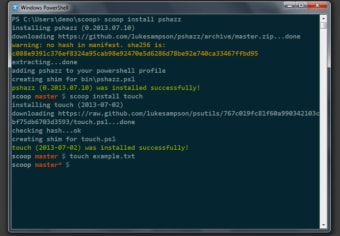
Scoop is a free system utility software that enables you to install programs using the command-line function. Developed by Luke Sampson, this command-line installer can do its job without much hassle and can also bypass steps that take up too much of your time, such as pop-up windows asking for your permission. You can also use it to build installers—however, you’ll need some extra steps since it’s custom-built. Additionally, this program requires some pre-installed programs.
Top Recommended Alternative

No need for graphical hassles
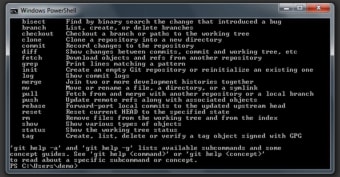
A command-line interface (CLI) is a type of interface that can process commands to a program in the form of lines of text. Unlike graphical user interfaces, this one is generally easier to automate via scripting and is often used for programming environments and utility programs. You’ll need knowledge of the commands that can be inputted first but it’s fairly easy to use. This is what the Scoop utility aims for with its main function.
This software is designed to make installation much easier for those familiar with the command-line function. For one, it eliminates elements like permission pop-up windows, GUI wizard-style installers, and even the path pollution that occurs when installing numerous programs. It also prevents any unexpected side effects from either installation or uninstallation, any need to install dependencies, and any extra steps to operate a working program. Plus, it’s highly scriptable and lets you run repeatable setups.
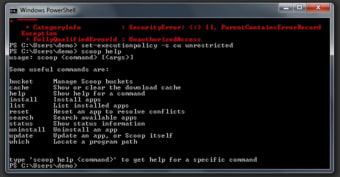
You can also use it as an alternative program in creating installers for your own software. You just need to zip your program and then provide a JSON file as the installation guide. However, to even start using it, you’ll need three prerequisites: Windows 7 SP1+ or Windows Server 2008+, PowerShell 5 and above, and .NET Framework 4.5 and above. Your PowerShell must have your account enabled, as well.
Have the necessary software installed
Overall, Scoop is a handy system tool to have if you know how to use the command-line interface and want to skip the tedious process of GUI installation. While you will need certain software to be pre-installed, they’re usually incorporated into operating systems already so it shouldn’t be too hard to use this program. Plus, it has other uses aside from bypassing usual installation elements so it’s worth a try for anyone looking into command-line installations.